NetMirror App, download the latest Android APK
Get the full NetMirror experience right on your Android, with offline downloads, background play and all eight streaming services packed into one powerful app! Completely free, no subscription, no ads.
- 52 MB
- Android 6.0+
- Free · no ads
- v2.0.8
The basics
What is NetMirror APK?
The Android app version of NetMirror, installed right on your phone or tablet, instead of opened in a browser.
Not sure what an APK actually is? Don't worry, it is simply the file format Android uses to install apps. Since a single app that bundles eight streaming services cannot live on the Google Play Store, NetMirror is shared as an APK that you download and install yourself, a quick, one-time, two-minute step Android calls “sideloading”.
Once it is installed, you get the same vast eight-service library as the web version, Netflix, Prime Video, JioHotstar, Apple TV+, Sony LIV, Zee5, MX Player and Crunchyroll, plus all the things that only a real app can do: offline downloads, background audio and new-episode notifications.
Even better, it is completely free, runs without a single ad, and works on Android 6.0 and up. There is no subscription and no account required, just install and start watching.
Prefer not to install anything? The same library runs in any browser at net27.cc , no download needed.
What's new
New in the NetMirror app
Version 2.0.8 adds the big one, a brand-new Beta Server 2, on top of everything the app already does that a browser can't, starting with offline downloads.
Server 2 (Beta): a second source
New in v2.0.8The headline of this release. When a title won't play on Server 1, open the Watch screen (on any movie or episode) and switch to Beta Server 2, an alternate source that unlocks many titles that wouldn't play before. It's experimental, so testing it and sending feedback helps make it perfect.
- More movies & series that Server 1 was missing
- More audio options, Hindi, Tamil, Telugu & more
- Wider subtitle coverage
- Fit / Fill / Stretch, size the video to your screen
Only in the app
Offline downloads
Save any movie or show right to your phone and watch it later with no internet at all. Just choose the quality and audio before it saves, and your downloads now resume cleanly, even after a long pause.
Background play
Keep the sound going with your screen off or while you use other apps, perfect for talk shows, reality TV and music.
New-episode alerts
Just follow a show and get a single ping the moment a fresh episode lands. No spam, no ads, only the heads-up you actually want.
Also in this update, same as the web refresh
- Redesigned, simpler interface
- 8 services in one, up from 2
- A dedicated Anime section
- Picture-in-Picture mode
- Sign-in is now optional
- Zero ads, everywhere
- A much bigger library
- One search across all eight
Why the app
Why use the NetMirror app instead of Netflix or other OTTs?
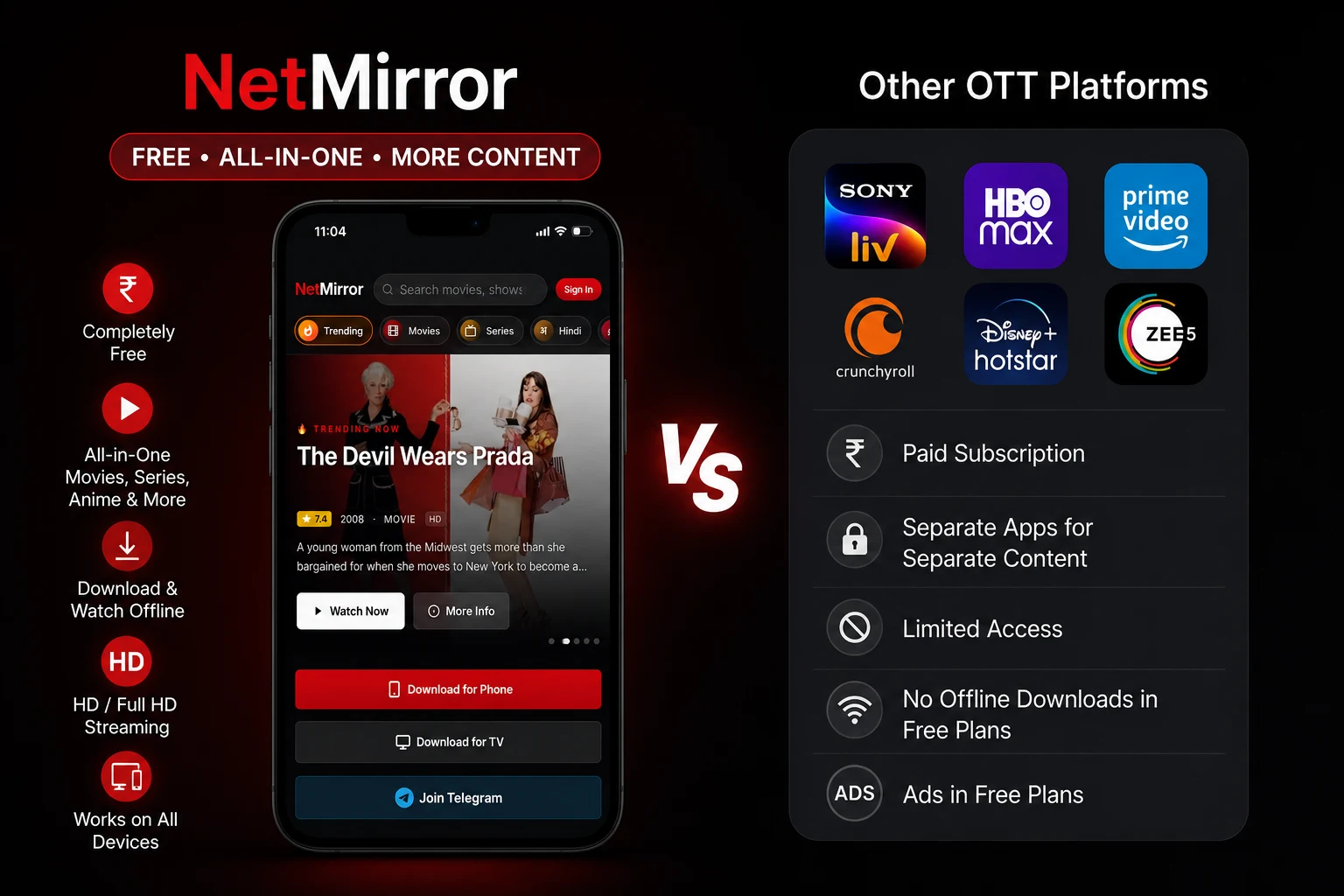
Let's be honest, watching everything you actually want usually means paying for a whole stack of services, Netflix, Prime Video, JioHotstar, Sony LIV, Zee5, Crunchyroll and more. Each one is a separate app with its own login and its own monthly bill, the content is split across all of them, the cheaper plans still throw ads at you, and offline downloads are often locked behind the pricier tiers. Put it all together and that is easily ₹10,000 or more a year just to keep up.
This is exactly where NetMirror stands out. The app rolls all of that into one! Those same eight services sit inside a single, searchable library that is completely free, with no subscription, no account and zero ads anywhere. You get smooth HD and Full-HD streaming, offline downloads from any service, and it works seamlessly on every device. So instead of juggling six apps and six bills, you simply open one app and press play.
Features
All features of the NetMirror app
Here is everything the NetMirror app packs in, neatly grouped by category and explained. From the vast library and the player to audio, privacy and all the everyday conveniences, you get the full picture.
Content & library
Eight streaming services on one shelf, all ranked the way you actually browse.
- Eight services in one
- Netflix, Prime Video, JioHotstar, Apple TV+, Sony LIV, Zee5, MX Player and Crunchyroll, over 100,000 titles under one roof.
- Every kind of content
- Hollywood and Bollywood films, web series, anime, K-dramas, regional cinema and documentaries, all side by side.
- Provider & genre tabs
- One tap to filter by a service, or jump straight to Movies, Series, Hindi, Tamil, Korean, Anime and more.
- Ranked rails
- A Top 10 Today that refreshes through the day, plus Trending, New Releases, Coming Soon and Top Rated rows.
- Universal search
- One search box looks across every service at once, type a title and see who has it, and in which dubs.
- Rich title pages
- Rating, year, runtime, genre, synopsis and full cast on every title, with “more like this” recommendations.
- My List
- Save titles for later; your list syncs across phone, TV and the web, and survives a reinstall.
- Server 2 (Beta) backup
- A second streaming source you switch to from the Watch screen when Server 1 doesn't have a title, opening up more movies, shows, dubs and subtitles.
Player
A real, built-in player, not a basic embed in disguise.
- Up to 4K UHD
- Streams up to 4K with hardware decoding on supported devices, and steps down smoothly on slower networks.
- Picture-in-Picture
- Float the video in a small window and keep using your phone or other apps.
- Cast to your TV
- Beam to a Chromecast, Google TV, Fire TV or AirPlay receiver straight from the player toolbar.
- Playback speed
- Speed up or slow down from 0.5× to 2×, with pitch corrected so voices still sound natural.
- Screen-fit options
- Fit, Fill, Wide or Stretch the video to match your screen, plus one-tap fullscreen.
- Free seek & screen lock
- Jump to any point on the timeline, and lock the screen so a stray tap never interrupts a binge.
Audio & subtitles
Built for an audience like you, that switches between languages with ease.
- Multi-language audio
- Many titles carry dubs in Hindi, Tamil, Telugu, French, Spanish, Indonesian, Tagalog and more.
- Switch dubs mid-play
- Change the audio language in the middle of a movie, no restarting from the beginning.
- Auto-pick language
- Set your preferred audio once and the app chooses it whenever a title supports it.
- Styled subtitles
- Turn subtitles on with adjustable size, style and timing so they stay readable on any scene.
- Multi-language interface
- The whole app, not just the labels, is available in several languages.
Privacy & security
Watch everything without ever handing over your data.
- No account to watch
- Guest mode unlocks the full library, no email, phone number or card details needed.
- No ads or pop-ups
- Zero ads anywhere, which also keeps out the malicious ad networks that plague free-streaming sites.
- Only the permissions it needs
- It asks for the usual streaming permissions, storage for downloads and network access, and nothing unusual.
- Downloads stay on your device
- Saved titles live on your phone and play in airplane mode, no re-login, no “session expired”.
- Encrypted connections
- Streaming runs over secure HTTPS.
Convenience
All the day-to-day touches that make it so easy to live with.
- Offline downloads
- Tap download on any title, choose the quality and dub, and full seasons save to your phone.
- Resumable & background
- Downloads keep going if you close the app and resume cleanly after a long pause.
- Background play
- Keep the audio going with the screen off or while you use other apps.
- New-episode alerts
- Follow a show and get a single notification when a new episode lands, never spam.
- Data saver
- Cap the quality on mobile to keep your data use low.
- Light & everywhere
- A ~52 MB app on Android 6.0+, also on tablets, TV and Fire Stick, and updated regularly.
Our story
The story behind NetMirror
From a single-service Netflix clone to a true all-in-one streaming hub, here is the full story of how NetMirror got to where it is today.
2023
Born as Netflix Mirror
It all started back in 2023, when the app launched under a different name, Netflix Mirror. The idea was simple but powerful: free, Netflix-style access to movies and shows, with up to 4K, subtitles and multiple audio tracks. It went viral almost overnight, because for so many people it felt just like the real thing, minus the monthly bill.
The setback
Forced offline
But then the momentum hit a wall. Due to its name and close resemblance to Netflix, the app faced legal pressure and was pushed offline. It stayed dark for the better part of a year, roughly eight to nine months, long enough that many users assumed it was gone for good.
The comeback
Reborn as NetMirror
But this was not the end! The team went right back to the drawing board, treating the shutdown as a fresh reset rather than an ending. They rebuilt the app from scratch and expanded it far beyond Netflix, adding Prime Video, JioHotstar, Apple TV+, Sony LIV, Zee5, MX Player and Crunchyroll. It returned under a brand-new name, NetMirror, no longer just a Netflix clone, but a true all-in-one streaming hub.
Today
Always improving
And that is the version you get today, and it has not stopped improving for a second. Every single release brings bug fixes, smoother playback, new OTT additions and fresh features, all while keeping the clean, Netflix-style interface that people fell in love with from day one.
The interface
A look inside the NetMirror app
Clean, familiar and super easy to get around. Here is a quick look at the app, screen by screen.
The home screen
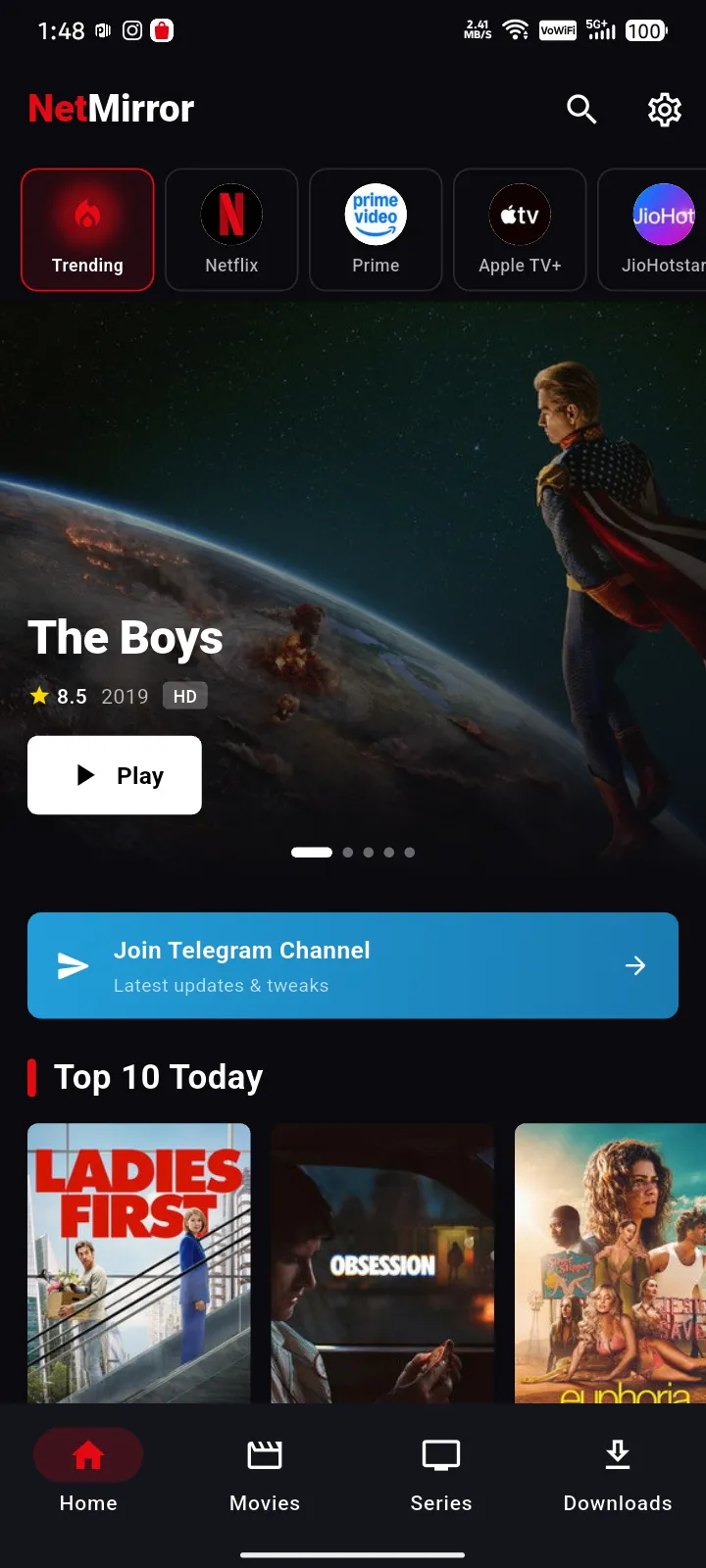
You land on a familiar, Netflix-style home, a featured banner up top, a scrollable row of provider and genre chips (Trending, Movies, Series, Hindi and more), then a Top 10 Today rail followed by Trending and New Releases. Switching from one service to another is a single tap.
Every title, in detail
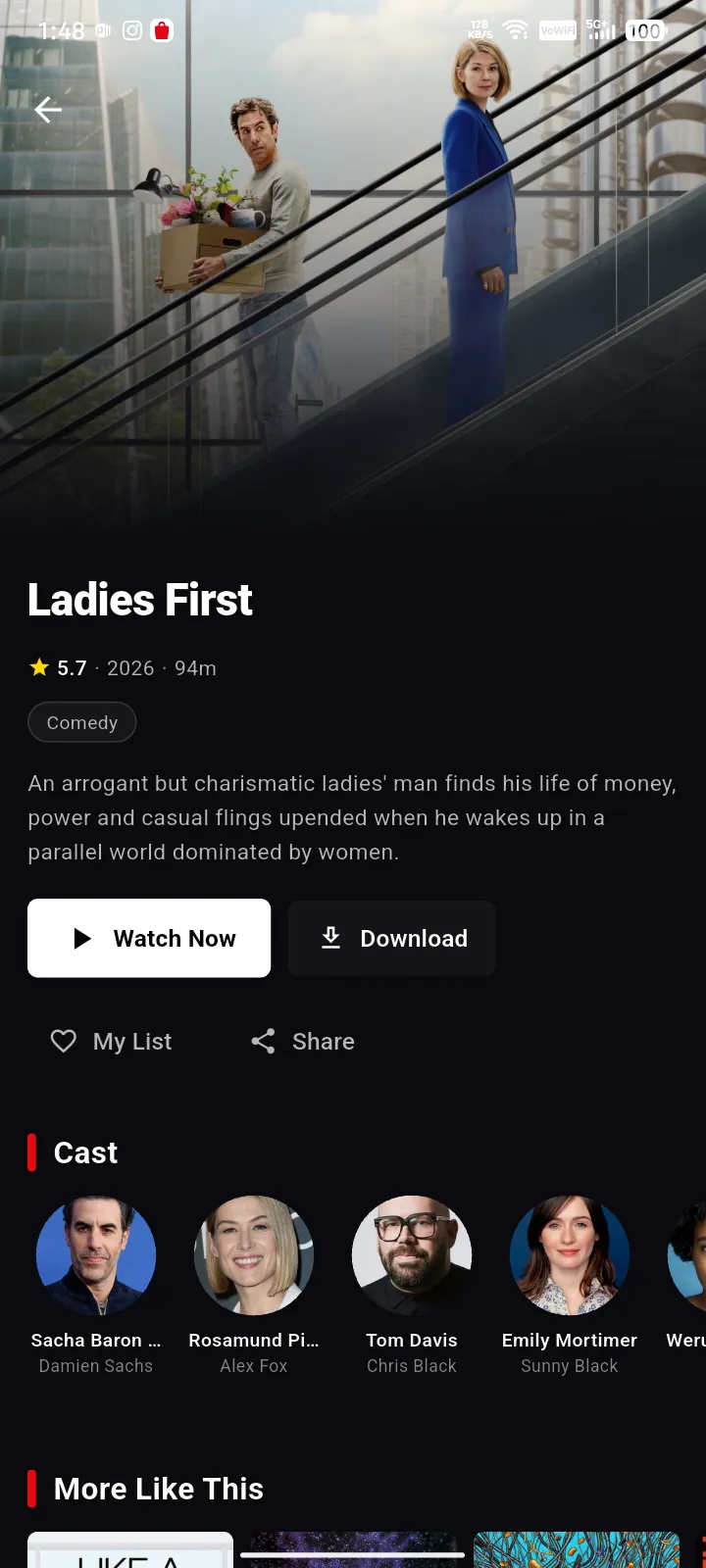
Open any movie or show and you get the full picture, a backdrop and poster, the rating, year, runtime and genre, a synopsis, and the complete cast with the roles they play. Watch Now and Download sit right there, alongside My List, Share and a “More Like This” row.
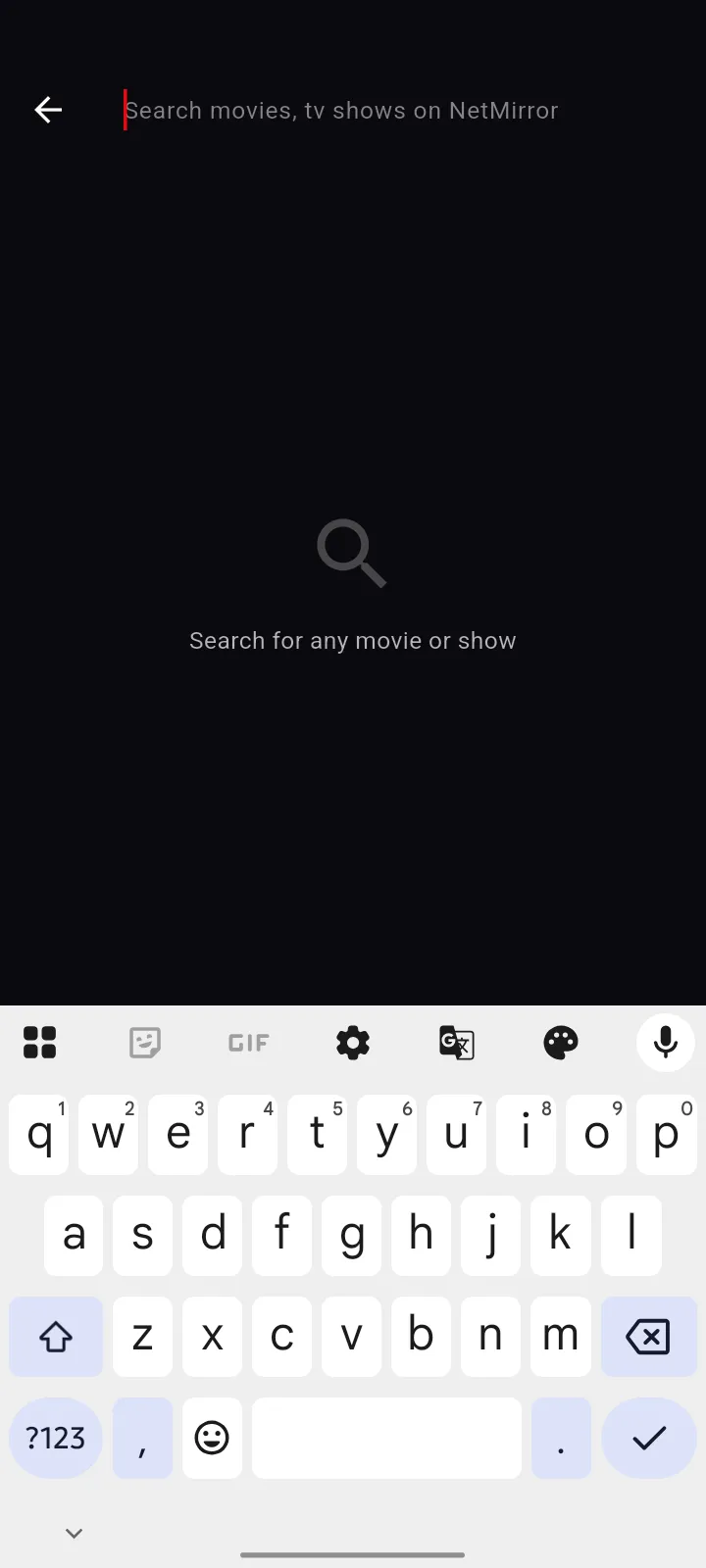
Search across everything
One search box reaches across all eight services at once. Start typing and results stream in from every catalogue, so you find a title without hopping between apps.
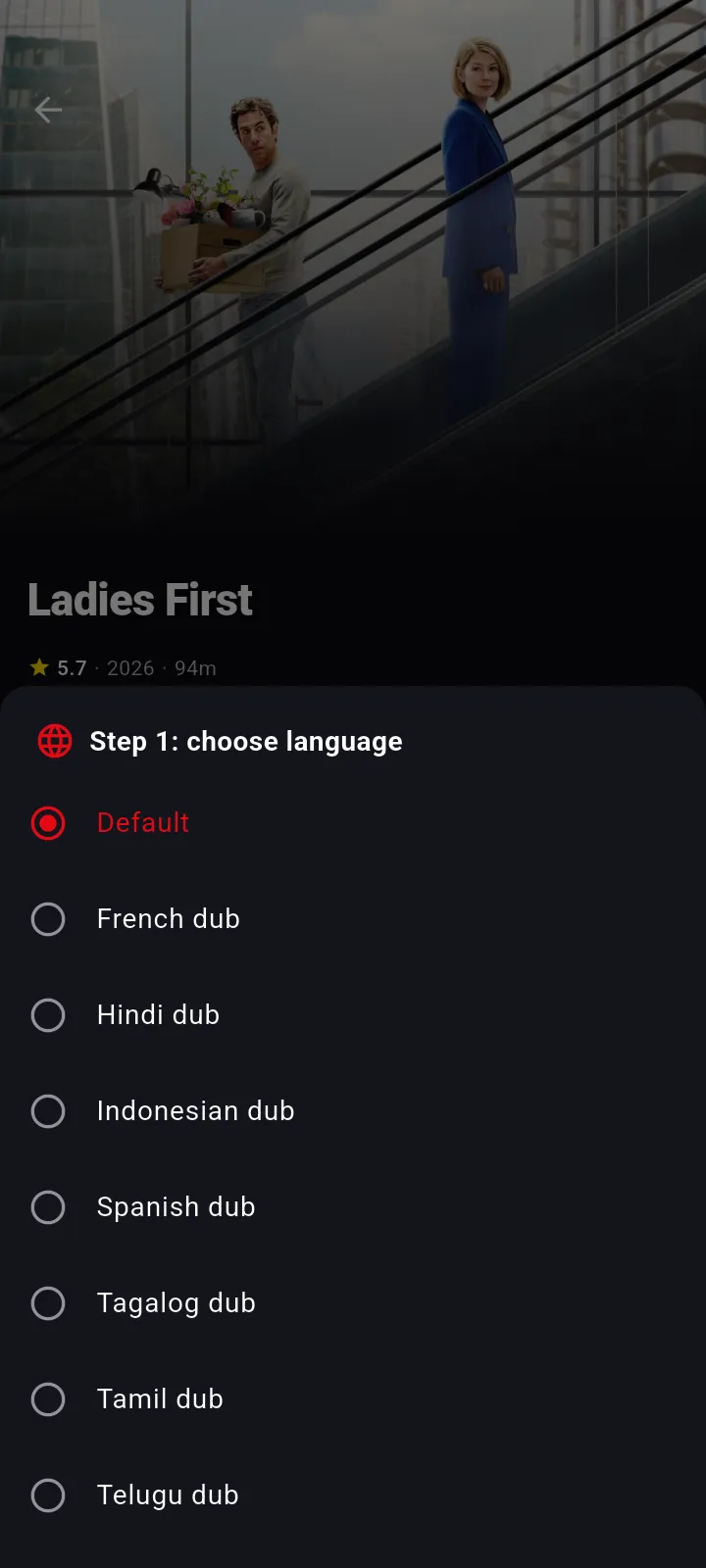
Pick your audio language
On titles that offer dubs, a quick picker lets you choose your audio, Default, French, Hindi, Indonesian, Spanish, Tagalog, Tamil, Telugu and more, and you can switch it mid-movie without starting over.
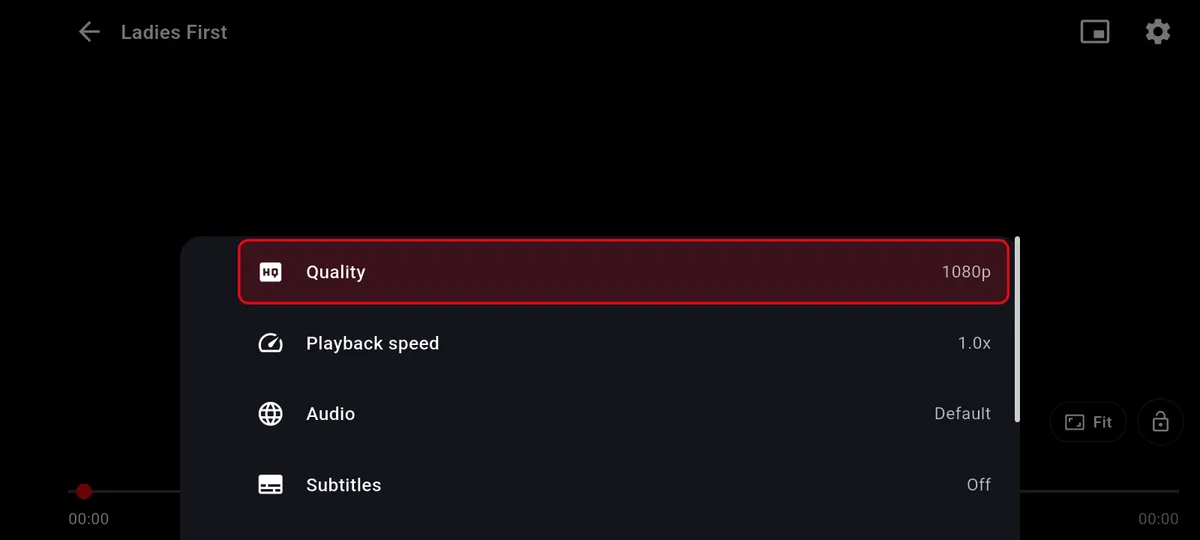
A player with real controls
The built-in player keeps everything one tap away. A settings sheet covers Quality (up to 4K), Playback speed, Audio track and Subtitles, while quick buttons handle screen-fit, screen lock and Picture-in-Picture.
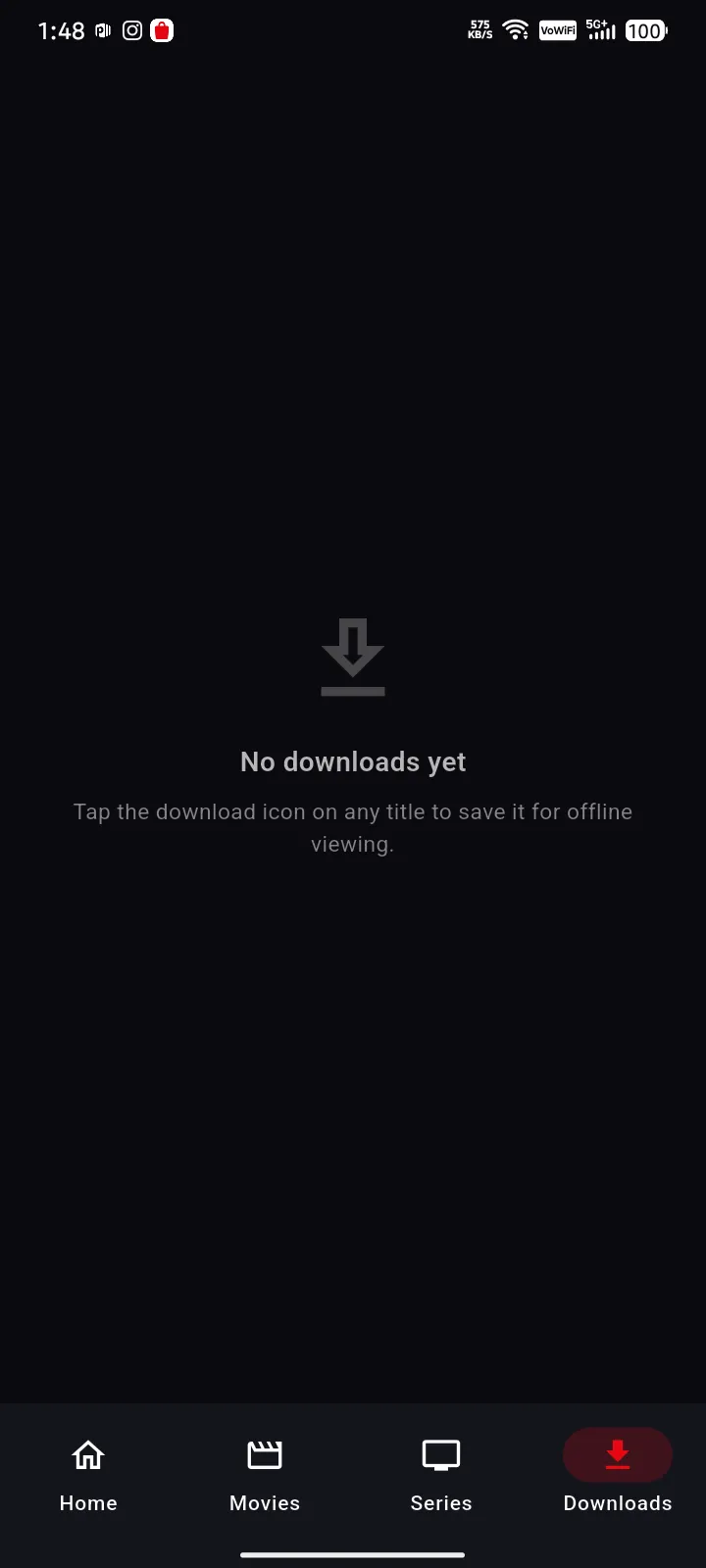
Your downloads, in one place
A dedicated Downloads tab holds everything you’ve saved for offline viewing. Choose the quality and dub before a download begins, and full seasons are supported, so it’s all ready before a flight or a commute.
Download
NetMirror APK Download, Latest Version
Grab the latest NetMirror APK below, always the current build, with the full details before you install.
NetMirror
v2.0.8 · ~52 MB · Android 6.0+
- Version
- v2.0.8
- File size
- ~52 MB
- Requires
- Android 6.0+
- Updated
- 6 June 2026
- Developer
- NetMirror Dev Team
- Category
- Entertainment
- Price
- Free
- Languages
- Multi-language
Installs from outside the Play Store, so you may need to allow “unknown sources” once. New to sideloading? Follow the step-by-step install guide just below.
Install guide
How to install the NetMirror APK
Grab the APK from the button above, then just follow these four quick steps. It takes about a minute, and trust us, no tech skills needed.
Download APK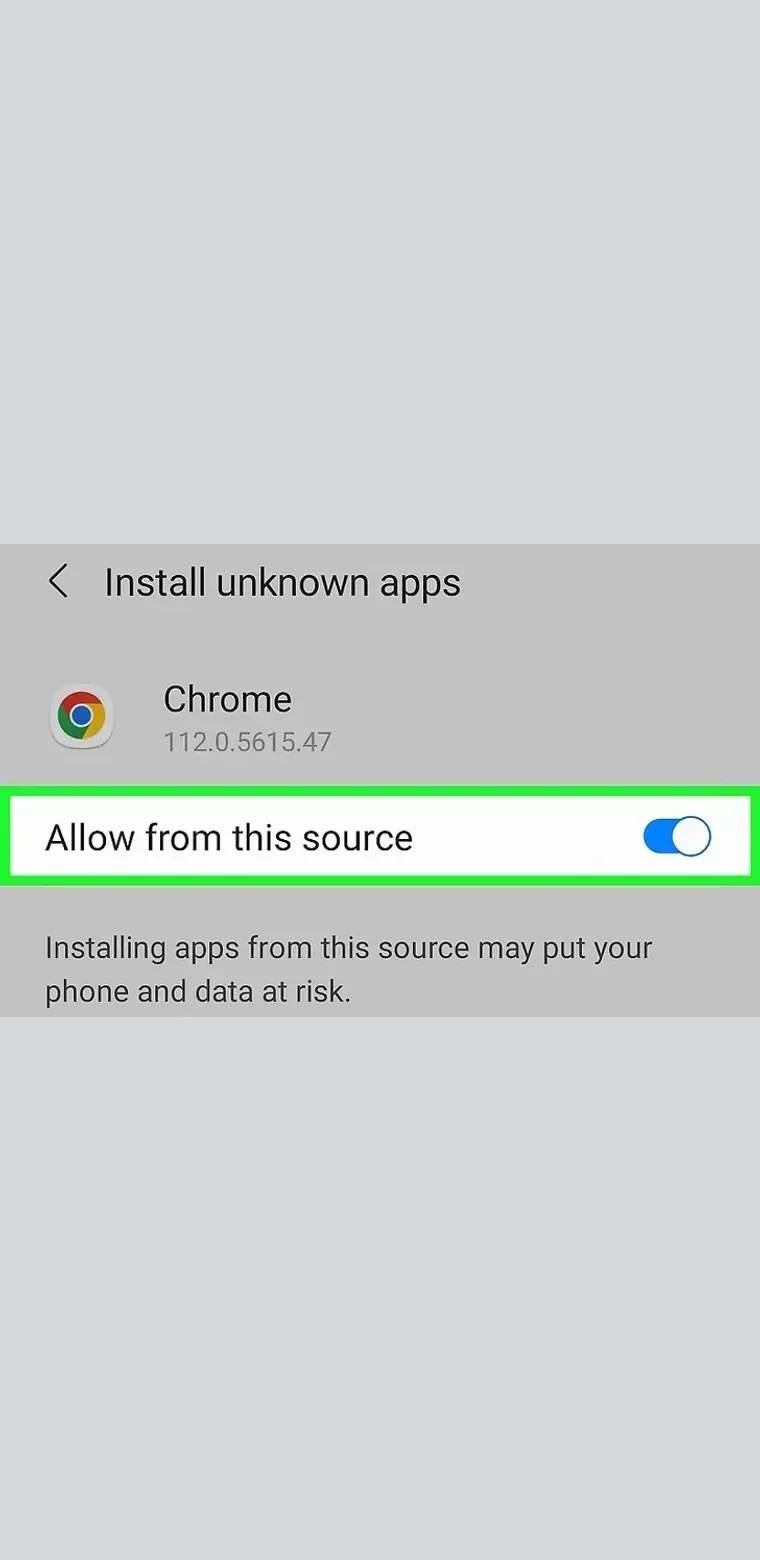 01
01Allow unknown sources
Open the downloaded APK. If Android asks, turn on “Allow from this source” for your browser, a one-time toggle.
 02
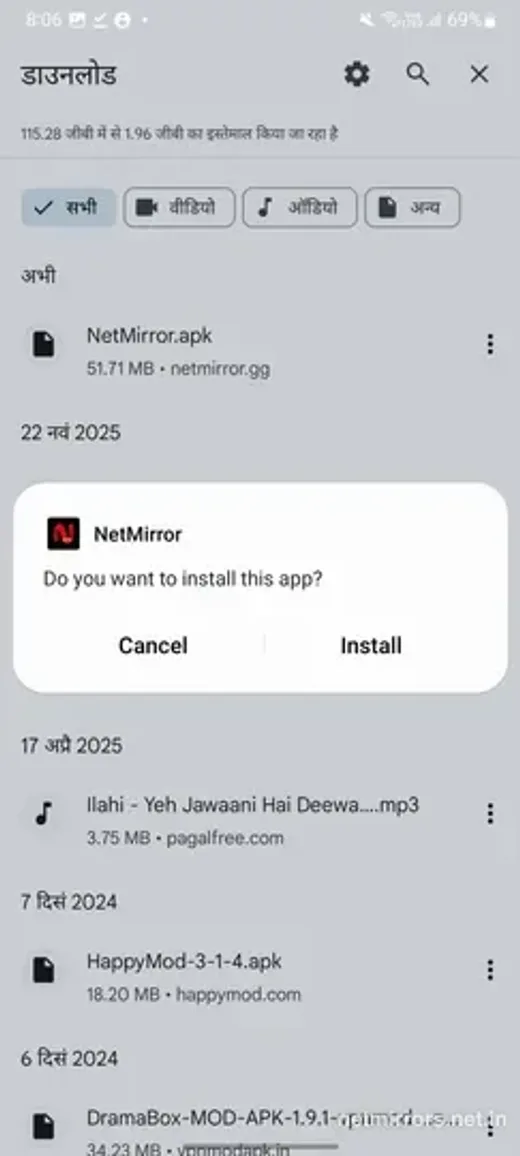
02Tap Install
Confirm the prompt and tap Install.
 03
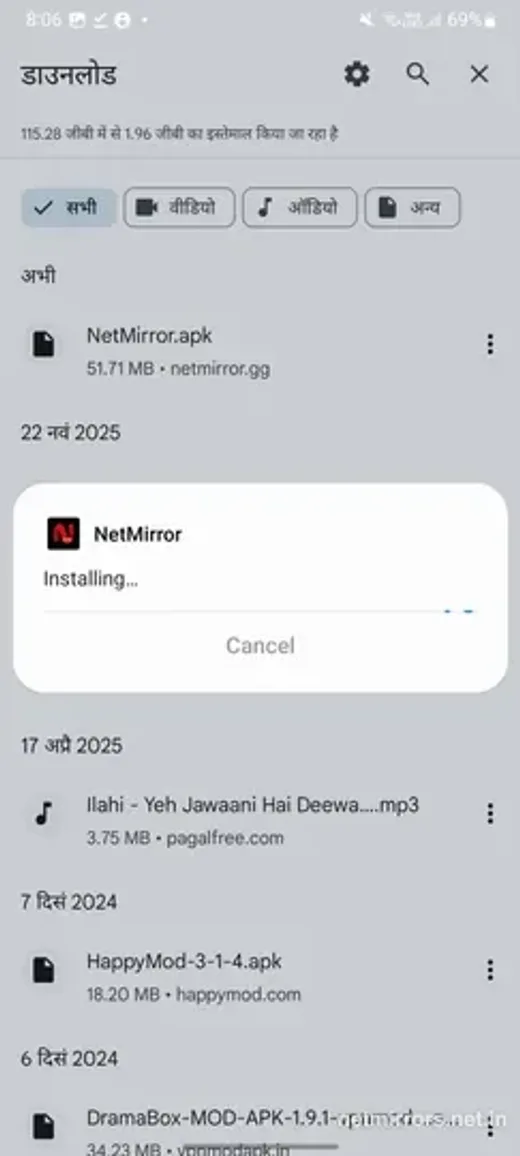
03Let it install
It only takes a few seconds.
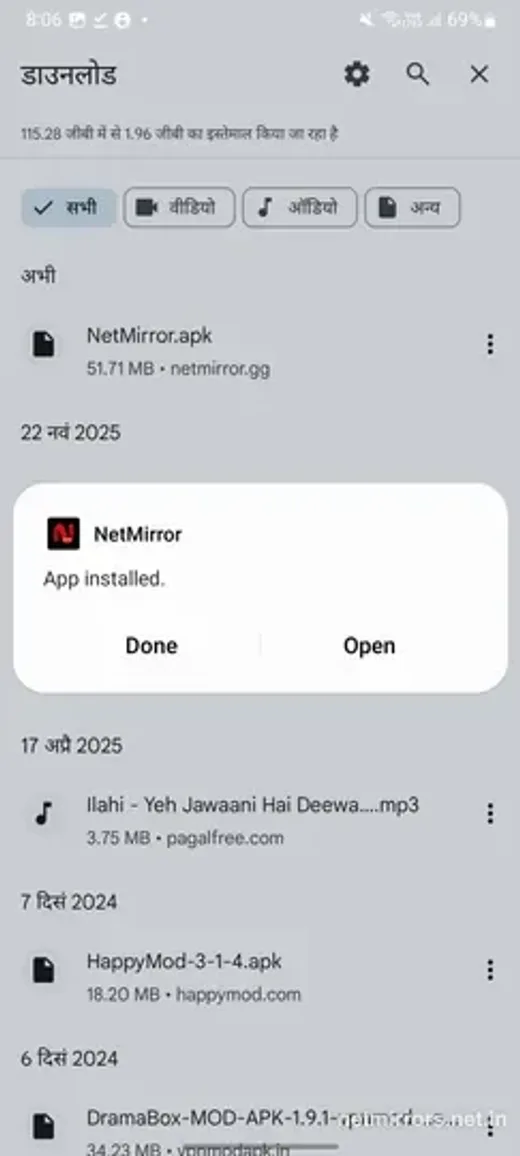 04
04Open & start watching
When it says “App installed”, tap Open, and you are in.
You can turn “Install unknown apps” back off once it is installed. Prefer not to install anything? The same library streams in any browser at net27.cc.
Troubleshooting
Common problems & fixes
Hit a snag? Most app issues are a quick fix. Here are the ones people run into most, and how to clear them.
“App not installed” error
Fix: Turn on “Allow from this source” for your browser, free up a little storage, and uninstall any older NetMirror first. If the file looks incomplete, download it again.
“Allow from this source” won’t turn on
Fix: Go to Settings → Apps → Special access → Install unknown apps → pick the browser you downloaded with, and switch on Allow.
The app crashes or won’t open
Fix: Clear its cache (Settings → Apps → NetMirror → Storage → Clear cache), update to the latest APK, and check you are on Android 6.0 or newer.
Video buffers or won’t play
Fix: Open the player’s gear → Quality and drop from Auto to 720p. If one title won’t start, try another, the source may be briefly down.
A download gets stuck
Fix: Make sure you have enough storage and a stable connection. Downloads usually resume after a pause; if one is wedged, cancel and start it again.
No sound or the wrong language
Fix: Open the player’s audio setting and pick the track, and check your phone isn’t muted. Some titles only carry the original audio.
App or web
Should you install the app or use the web?
Both run the exact same free library, so the choice really comes down to install vs no-install, plus a few handy app-only extras. Here is the quick version to help you decide.
NetMirror app (APK)
Best for downloads & the big screen
- Offline downloads, watch with no internet
- Background play with the screen off
- New-episode notifications
- Runs on Android phones, tablets & TV
- A real app on your home screen
NetMirror Web
Best for zero install, any device
- Nothing to install, open net27.cc and play
- Works on any device, iPhone, PC and Mac too
- Always the latest version, automatically
- Uses no storage on your device
- One tap and you are watching
Both give you, exactly the same
- All 8 OTTs in one
- Up to 4K
- Picture-in-Picture
- Universal search
- 100% free
- No ads
- No account
FAQ
NetMirror APK, frequently asked questions
Quick answers to the things people ask most about the NetMirror app.
Is the NetMirror APK free?
Yes, 100% free! There is no subscription and no in-app purchases at all. It is free to download and free to use, forever.
Is the NetMirror APK safe to install?
Absolutely. The app only asks for the permissions a streaming app actually needs, storage for downloads and network access, shows zero ads and needs no account. As with any sideloaded app, just make sure you download it from the official link on this page.
Why isn’t NetMirror on the Google Play Store?
Because a single app that bundles eight streaming services simply cannot be listed on the Play Store. That is exactly why it is shared as an APK you install yourself, a quick, one-time step.
Which Android versions are supported?
Android 6.0 (Marshmallow) and newer. There are even smaller arm64 and arm32 builds for older or lower-spec devices, so almost everyone is covered.
Do I need an account to use the app?
Not at all. You can watch the whole library as a guest. Signing in is completely optional and only syncs your watchlist and history across your devices.
Can I watch downloads offline?
Yes, just download any title, pick the quality and audio first, and it plays with no internet at all, even in airplane mode. Full seasons are supported too.
How do I update the NetMirror app?
Super easy. Just download the latest APK and install it right over the existing app. Your downloads and watchlist stay exactly where they are. This page always links to the current version.
Will it work on Android TV or Fire Stick?
Yes. There is a dedicated TV-friendly build for Android TV, Google TV and Amazon Fire Stick, with a remote and D-pad layout made for the big screen.
Does the app have ads?
Nope! No launch ads, no mid-rolls and no banners anywhere in the app. Just clean, seamless streaming.
Is there a version for iPhone?
iOS does not allow this kind of APK. On iPhone and iPad you simply use the web version instead, just open net27.cc in Safari and add it to your Home Screen to use it just like an app.
The bottom line
Conclusion
In conclusion, the NetMirror app puts eight streaming services in one place, over 100,000 movies, shows and anime, with offline downloads, up to 4K and zero ads. No subscription, no account, no Play Store. Just download the APK, install it in about a minute, and start watching. We highly recommend giving it a try, you will not be disappointed!
Free · ~52 MB · Android 6.0+ · Prefer not to install? Stream it in any browser at net27.cc.